

Below is a brief guide on managing Team Members within your OrderProtection.com account. This includes inviting new members, understanding different roles, and viewing/editing member profiles.Documentation Index
Fetch the complete documentation index at: https://docs.orderprotection.com/llms.txt
Use this file to discover all available pages before exploring further.
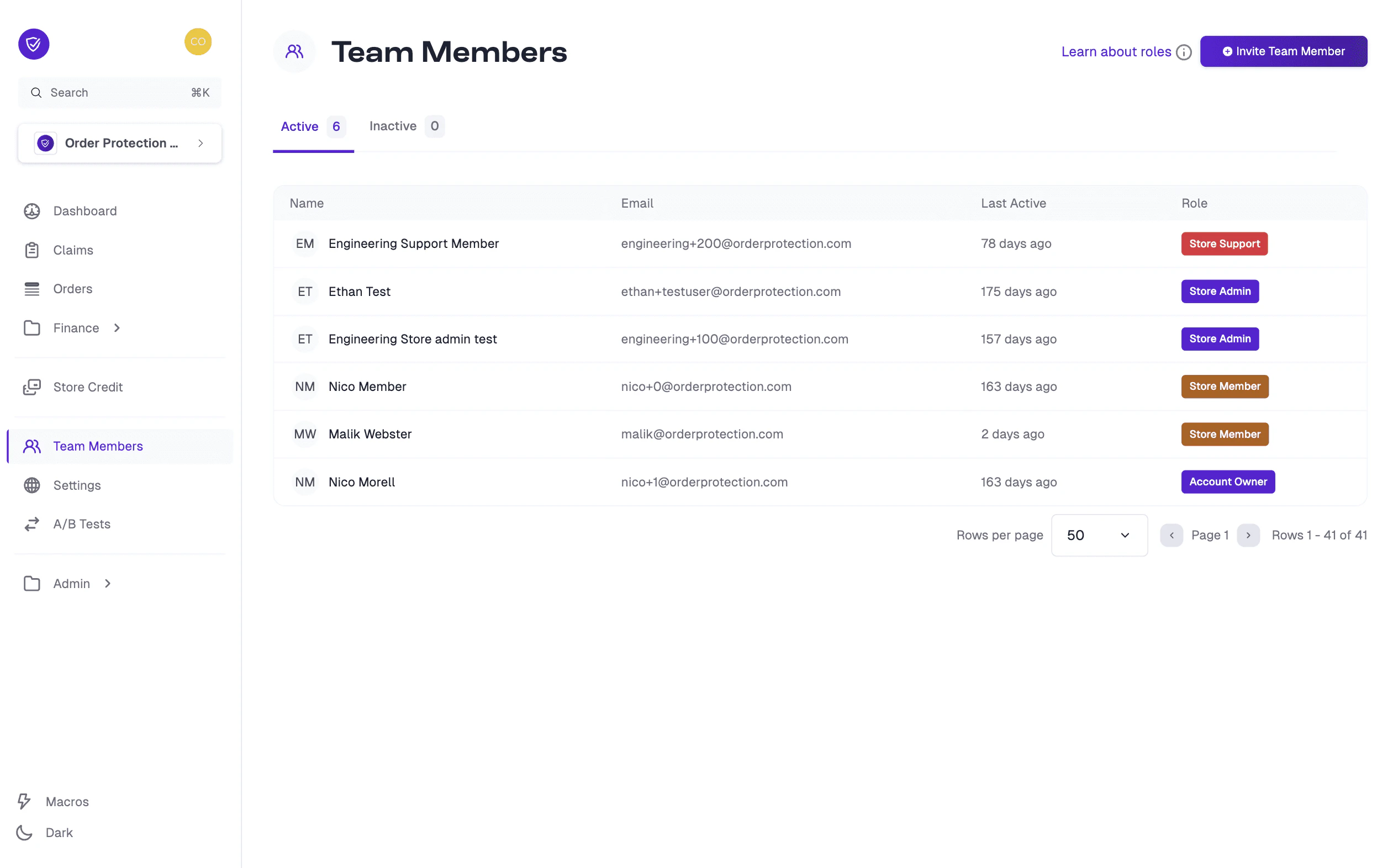
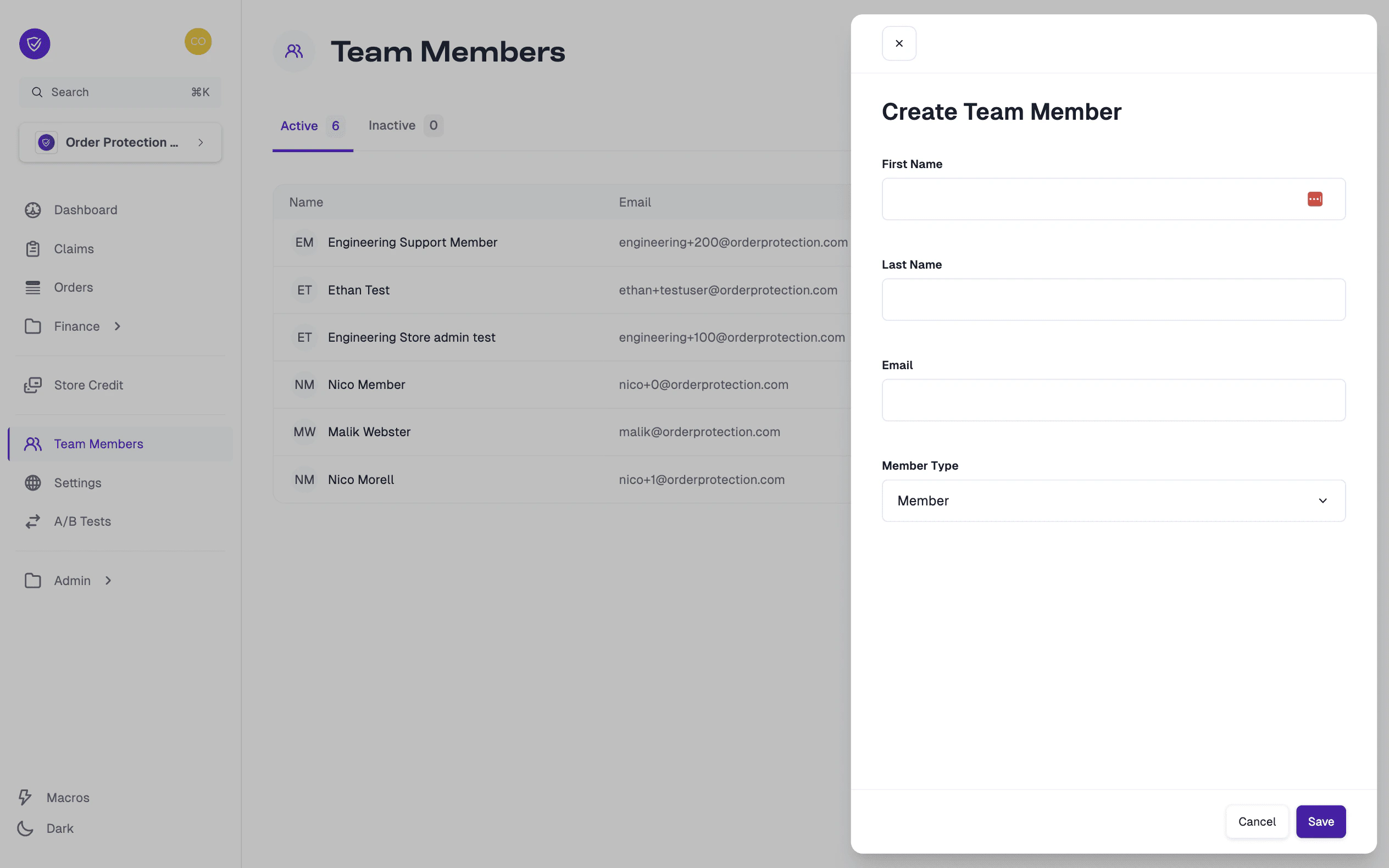
How to Invite a New Team Member
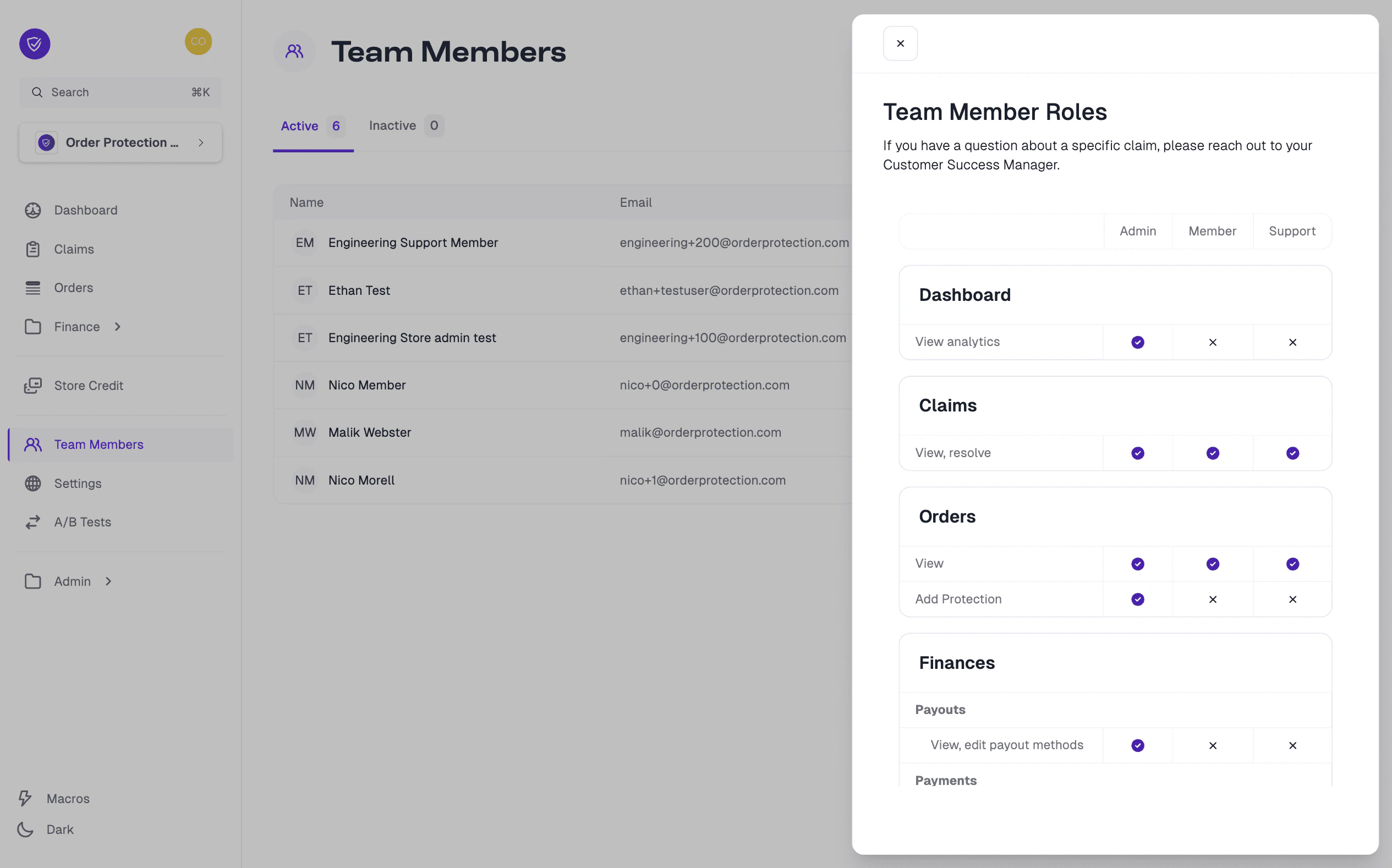
Learn About Roles
When inviting or editing a team member, you’ll notice multiple Store Role options. Each role has different levels of access within your OrderProtection.com account:| Role | Description |
|---|---|
| Admin | Highest level of access — can view, add, edit, and remove most items (claims, team members, payout methods, etc.). |
| Member | Standard permissions — can typically view and resolve claims but may have limited access to settings or financial data. |
| Support | Focused on customer-service-related tasks — can view or resolve claims but may have restricted access to other sections. |
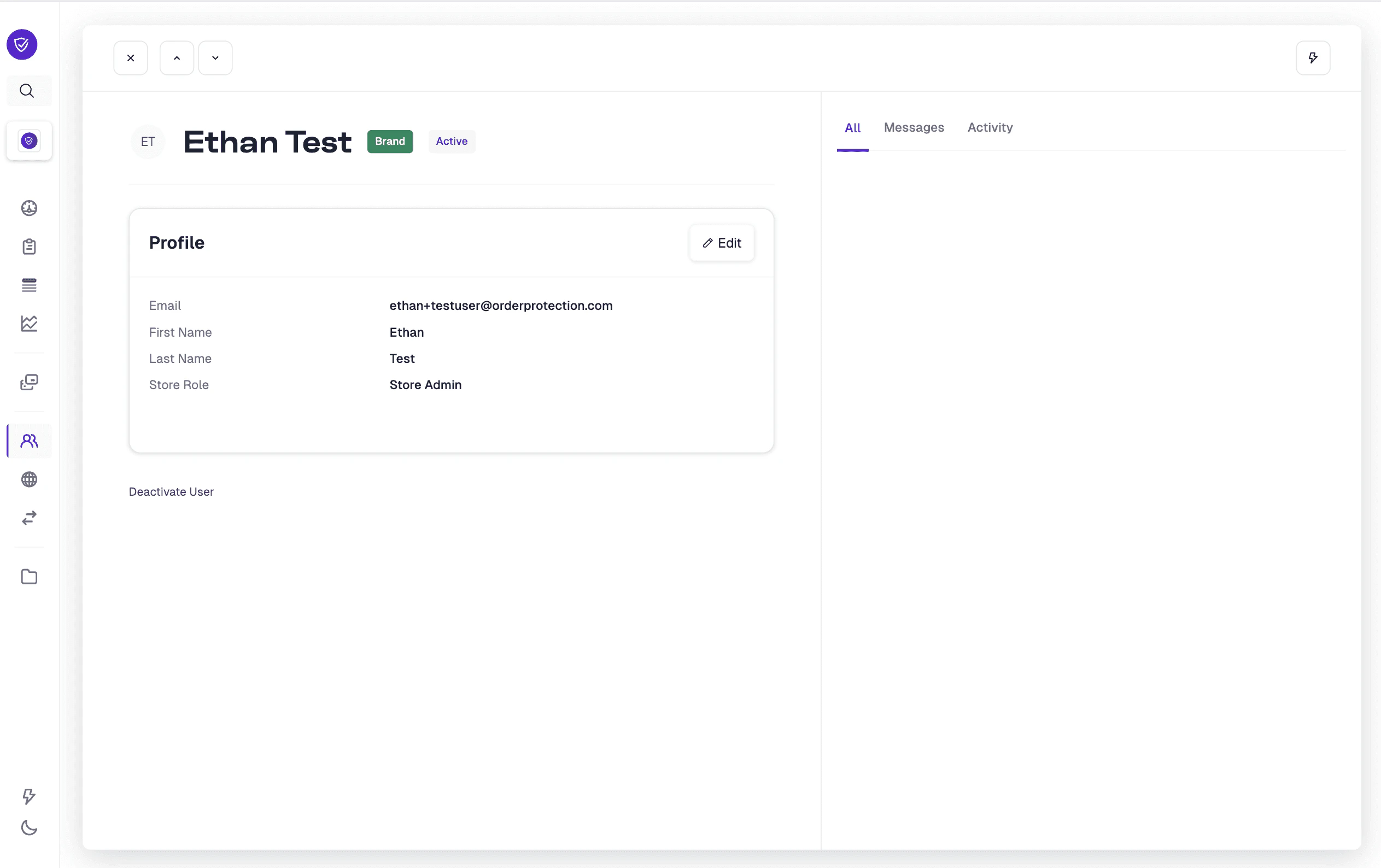
Viewing and Editing Team Member Profiles
Deactivating a Team Member
Open the member's profile
In the Team Members list, click on the member’s name to access their profile.